


Redegal, Google Partner Premier agency 2026
Have you heard of ChatGPT Atlas? It’s the new browser developed by OpenAI. Promising a fresh approach to searching, it aims to challenge traditional browsers like Google Chrome. What exactly is this new browser, and is it here to stay? We’ll explain everything here.

OpenAI takes another step forward and introduces ChatGPT Atlas, its own internet browser. This new tool arrives with the promise of a personalised and intelligent browsing experience, designed to completely change the way users interact with the web. The aim is to leave behind traditional search as we know it.
Have you heard about this new browser yet? We’ll take you through exactly how it works and highlight the features that can benefit you the most. Plus, we answer the question on everyone’s mind: could ChatGPT Atlas really challenge Chrome’s supremacy?
ChatGPT Atlas is OpenAI’s first web browser, powered by artificial intelligence. What is its aim? To compete directly with rivals such as Google Chrome, which has recently introduced its AI Mode, and Perplexity.
But what really sets it apart? According to OpenAI, it is described as a browser with ChatGPT integrated, a kind of “super assistant” capable of understanding the user and helping them achieve their goals. In other words, it allows for smoother and more personalised browsing.
With Atlas, the user no longer needs to copy text, switch tabs and paste it into the ChatGPT website. This new search browser accompanies you across the entire web and throughout the whole search process. In different ways, it is present in every window you browse in order to “understand what you are trying to do and complete tasks for you”.
For example, if you are looking for trainers for high-mountain sports, ChatGPT through Atlas can help you compare prices between different brands, read reviews and even find the best deals. All without leaving the page.
The browser is already available worldwide for macOS on a variety of plans, including Free, Plus, Pro and Go. A beta version of the new browser is also accessible for businesses and, if enabled by the plan administrator, for Enterprise and Education users.
Versions for Windows, iOS and Android are expected to launch soon.
At the ChatGPT Atlas presentation, it was also highlighted that “Website owners can also add ARIA tags to improve the performance of the ChatGPT agent on their sites within Atlas.”
What is interesting about this new browser is that it uses ChatGPT Search, a search system that, according to OpenAI, delivers more complete, contextual results powered by artificial intelligence. This browser combines OpenAI’s AI with information from various web sources, providing broader answers in comparison to a traditional search.
ChatGPT Atlas can be activated in three ways:
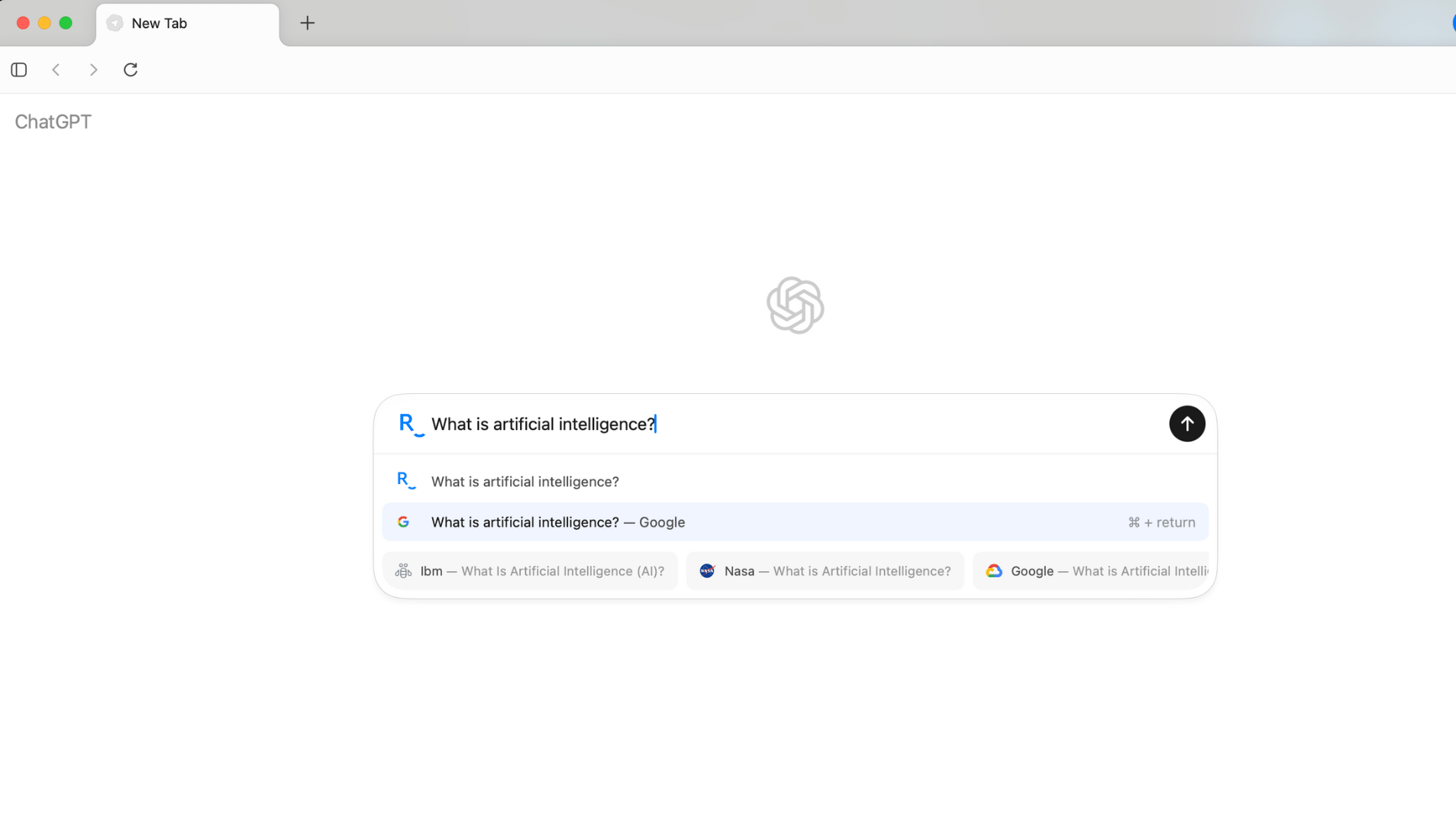
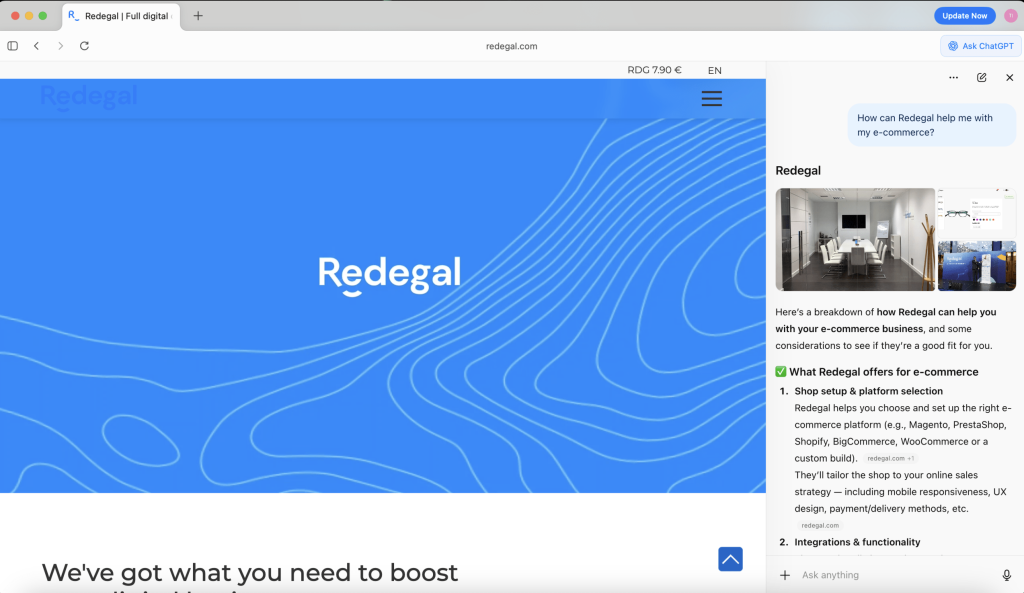
If you have an ecommerce site, this button could be useful at the point of purchase. Potential customers can receive specific information about a product. For example, if you run an online store that sells computers and a user is looking for a device for a particular purpose, they can ask ChatGPT whether the one they have selected is suitable for their needs.
Another example could be with shoe sizes. The user might ask, “How do these trainers fit? I usually wear a size 39,” and the sidebar would indicate whether a larger size is recommended.
In this case, it is important to create optimised product pages. Our SEO team can help you with this.
This feature allows Atlas to remember details from your previous interactions and browsing, providing increasingly relevant, personalised and useful assistance. What does this mean? Atlas’s memory lets ChatGPT recall the context of the websites you visit and retrieve it when you need it.
Practical example: you could ask, “Show me the skincare products I was looking at yesterday for eye contour.” It will then bring up the information for you.
As OpenAI explains, using this feature is completely optional and the user always has control: you can view, manage or delete your memories at any time from the settings.
The Memory feature supports two main uses:
Atlas offers two main modes for interacting with the AI:
You have full control over what ChatGPT can see and remember while you browse. You can delete specific pages, clear your entire history, or use an incognito window to browse temporarily without the AI storing any information.
You can also manually indicate that you do not want it to see your data. To do this, click the icon on the left of the address bar and configure it manually. A field called “ChatGPT Page Visibility” will appear, and you can choose between “Allowed” or “Not allowed.”
The browser memories are private and linked to your account; you can view, edit, archive or delete them at any time. Even with memories enabled, you can decide which sites ChatGPT can or cannot access using the button in the address bar.
By default, OpenAI does not use your browsing to train models, although you can enable this option in the settings if you wish.
In 2024, according to Statista, Google Chrome was used by approximately 65% of internet users, maintaining its lead in the browser market. It is followed by Apple’s Safari, which held second place with around 20%, mainly influenced by the use of Apple devices.
Over the years, Chrome has proven its ability to maintain leadership year after year against its competitors.
Meanwhile, ChatGPT Atlas still has a long way to go to challenge giants like Chrome and Safari, but it represents an innovative proposition that could become a new ally for digital users, offering a smarter and more personalised browsing experience.
Do you want your brand to be one of the first options that ChatGPT and Atlas show in users’ searches? Our SEO team is working to ensure your business appears prominently in AI-driven results. Shall we talk?
You may be interested in our latest posts
Redegal, Google Partner Premier agency 2026

Social selling: turn your connections into opportunities

Agentic AI: what it is and how it transforms ecommerce

Where is employer branding heading in 2026?
Discover the best digital strategies for your brand


















Hi!
We are looking forward to hearing more about your digital business.
Tell us... What do you need?
Fill in the form or call us at (+44) 2037691249